This topic was originally posted by peter2 on 7/25/2024.
This content has been migrated from our previous community forum to preserve valuable discussions.
const adapter = new OpenloginAdapter({
adapterSettings: {
network: isProduction()
? WEB3AUTH_NETWORK.SAPPHIRE_MAINNET
: WEB3AUTH_NETWORK.SAPPHIRE_DEVNET,
clientId: WEB3_AUTH_CLIENT_ID,
uxMode: 'redirect',
// redirectUrl: window.location.href,
loginConfig: {
jwt: {
verifier: 'xxx', // Pass the Verifier name here
typeOfLogin: 'jwt', // Pass on the login provider of the verifier you've created
clientId: 'xxx', // Pass on the Auth0 `Client ID` here
},
},
},
});
web3AuthInstance.connectTo(WALLET_ADAPTERS.OPENLOGIN, {
loginProvider: ‘jwt’,
extraLoginOptions: {
domain: ‘xxxdomain’, // Pass on the Auth0 Domain here
verifierIdField: ‘sub’, // Pass on the field name of the sub field in the JWT
connection: ‘twitter’, // Use this to skip Auth0 Modal for Twitter / X login
},
});
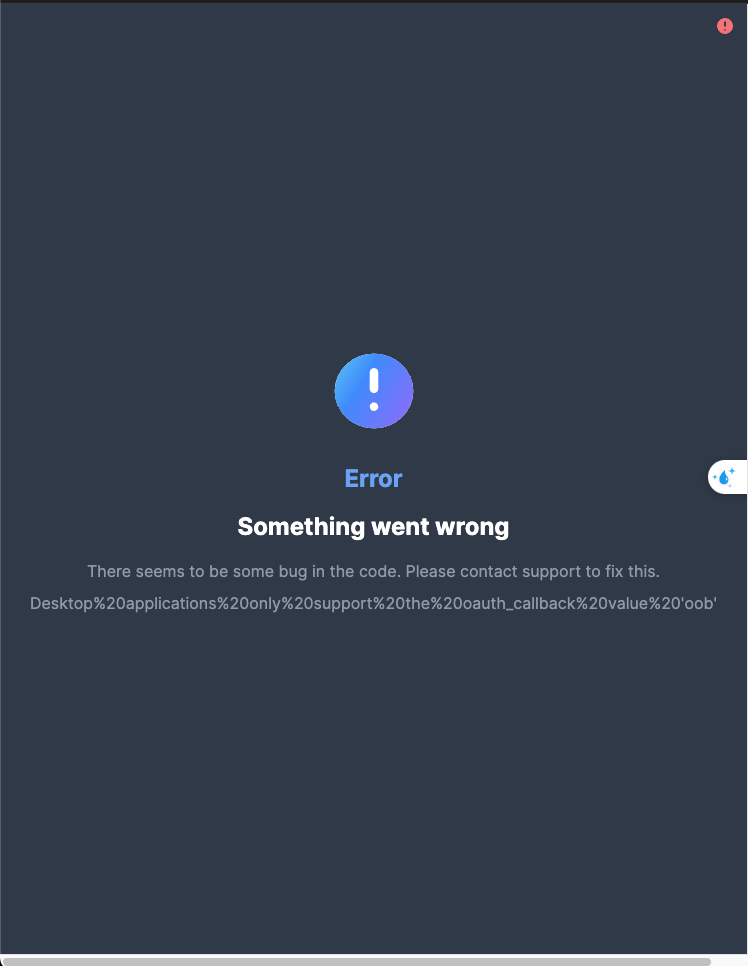
Based on the error message, it seems you might be trying to integrate Web3Auth into a desktop application. If you’re actually integrating it into a web app, could you please share the browser console logs when you encounter the error screens?
Archived Content from Web3Auth Community