This topic was originally posted by cchsiao.jeff on 7/26/2023.
This content has been migrated from our previous community forum to preserve valuable discussions.
Hello,
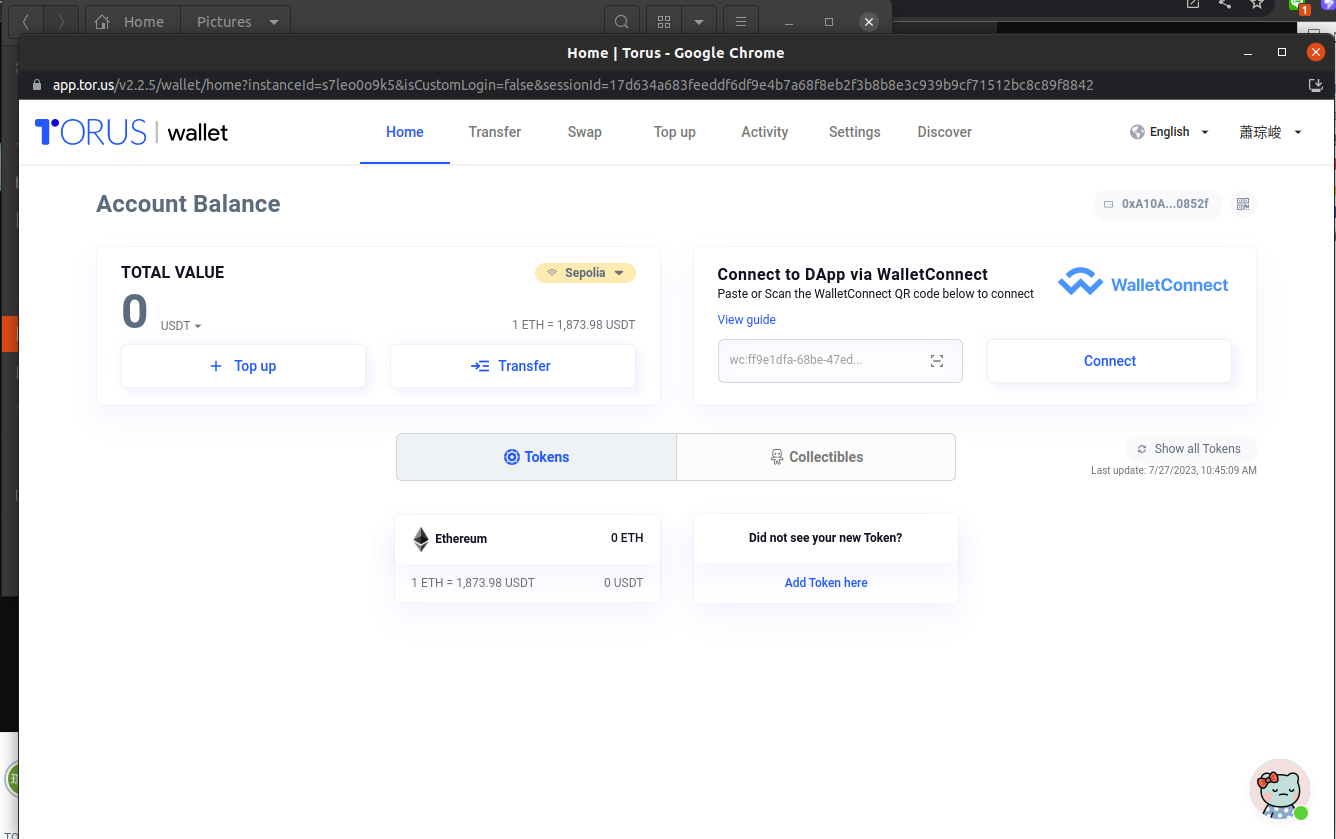
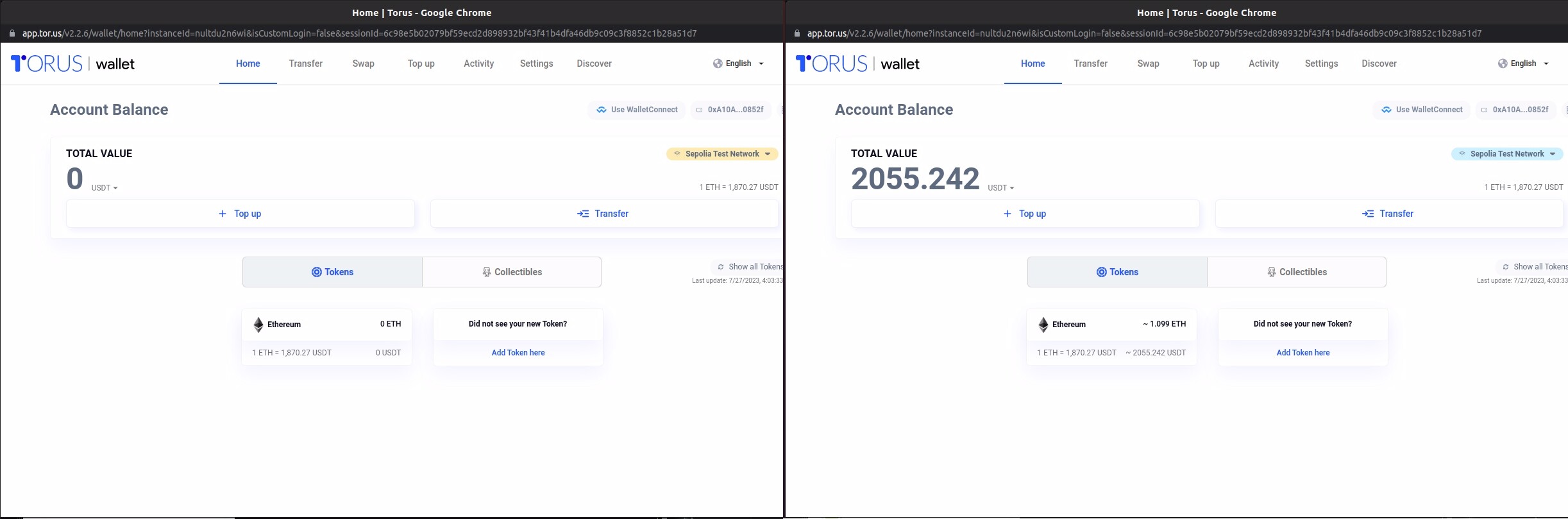
It seems that there is an issue with using the Torus wallet on the Sepolia test network (chainID: 11155111). Currently, when attempting to use the Sepolia test network, the Torus wallet forcibly switches the network to “Sepolia”, which doesn’t display any assets and prevents users from signing transactions on the Sepolia test network (chainID: 11155111). Instead, the assets on the Sepolia test network are actually displayed on the “Sepolia Test Network” side.
To resolve this problem, it may be necessary to make a change so that when using applications on the Sepolia test network (chainID: 11155111), the Torus wallet switches the network to “Sepolia Test Network” instead of “Sepolia.” This way, users should be able to access their assets and perform transactions seamlessly.
Please note that this explanation is based on the information provided, and I recommend contacting the Torus wallet support team or the developers of the application for further assistance in resolving the network switching and asset display issue.
The chain id of the selected blockchain must be specified in hex. For Sepolia Test network, the equivalent hex value is 0xaa36a7. I was able to add the rpc details in Torus Wallet as below and it worked:
Network Name: Sepolia Test Network
RPC URL: https://rpc.sepolia.org/
ChainID: 0xaa36a7
Currency: ETH
Block Explorer URL: https://sepolia.etherscan.io/
I did a test transaction for 0.5 ETH and see the assets in Torus Wallet as well. Adding a screenshot for reference:
NOTE: In case you do not see the assets, try switching to any another network in Torus Wallet and switch back to Sepolia Testnet that you just added for the network to refresh.
How did you add the Sepolia Test Network highlighted in blue ?
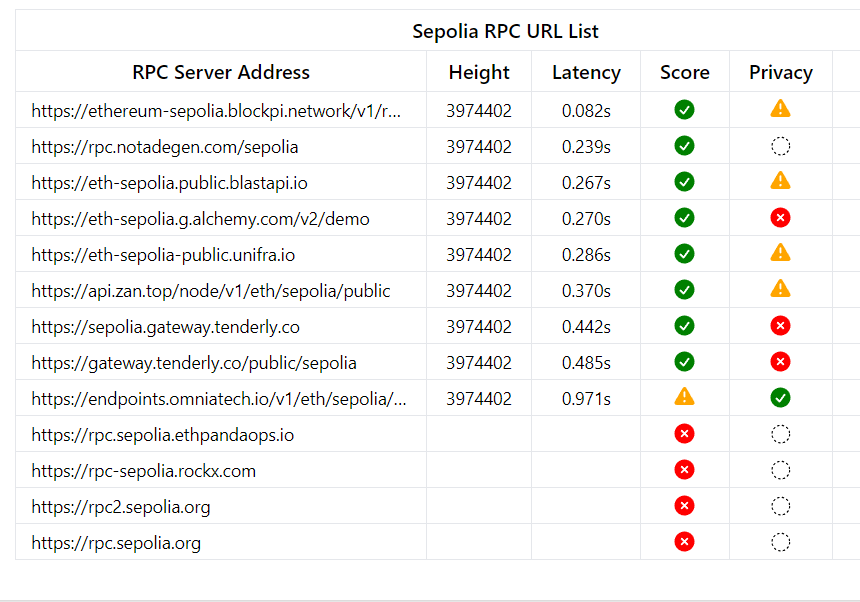
Try editing the existing Sepolia network under Settings>Network using one of the other RPC URLs. I used https://rpc.notadegen.com/sepolia switched to another network and back, worked.
You can use this as a reference to check which of the RPC URLs are up and running
Archived Content from Web3Auth Community