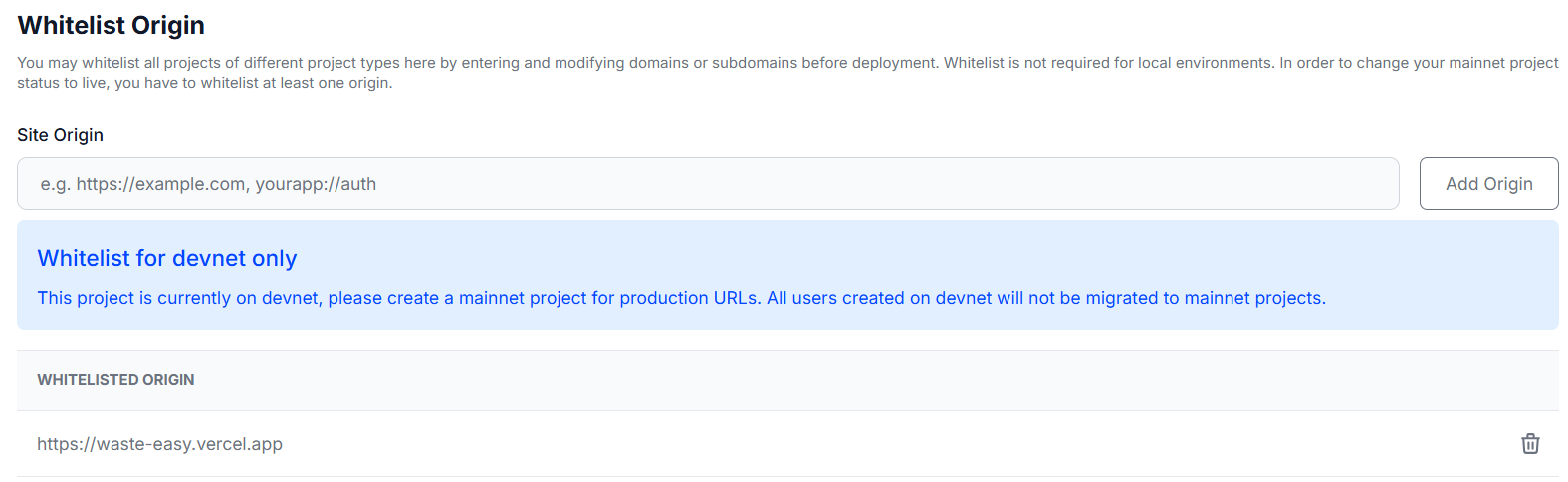
This topic was originally posted by shree.manickaraja on 2/3/2025.
This content has been migrated from our previous community forum to preserve valuable discussions.
When asking for help in this category, please make sure to provide the following details:
Hi Shree M! I understand the urgency and I’m here to help you resolve the whitelisting issue with your Web3Auth setup.
Based on what you’ve shared:
SDK Details: PnP Web SDK
SDK Version: 9.5.3
Platform: Web and Android (primarily Web)
Let’s take a look at the likely areas that could be causing issues with whitelisting:
Check List:
Correct Domains: Double-check that you’ve entered the correct domain names in your Web3Auth dashboard, without any typos or omitted subdomains (like www prefix).
Console Warning: The warning in the console may indicate missing headers or incorrect network configuration if it’s related to setup. The exact warning isn’t visible, can you please provide more details about the message?
Web3Auth Initialization: The part of your code related to initializing Web3Auth looks good, but make sure the Internet connection and RPC target are accessible from your environment.
Network Configuration: Ensure that the web3AuthNetwork configuration reflects your intended usage. If using MAINNET, make sure the environment aligns with the intended network usage.
Proposed Steps:
Recheck Whitelisted Domains: Go into your Web3Auth dashboard and ensure there are no trailing spaces or other anomalies in the whitelisted domain fields.
Confirm Network Access: Verify that your development environment has proper network access and the RPC endpoint is reachable.
Browser Console: If you could provide more context or a full message from the console warning, it could help pinpoint the problem.
I hope these steps get you back on track quickly! If the issue persists, feel free to share additional console logs or any specific error messages you encounter when interacting with Web3Auth. The support team will be here to assist you further. Good luck with your project!
Note: This response was generated by an AI bot and may require further verification. The Web3Auth support team has tracked this issue and will be responding as soon as possible.
I was able to log in using all the methods you have. Can you let me know which ones are causing you trouble?
Also, I noticed you have a banner saying that only Google and email passwordless work. Instead, you can choose which ones to show. You can also customize the modal logins by using this: Whitelabel Plug n Play Modal | Documentation | Web3Auth
Archived Content from Web3Auth Community